Change the building. Add trees. Move the shade.
Compare daylight, wind and outdoor comfort while your design is still easy to change.
 Let’s talk
Climate simulation. From a room to a city.
See how buildings, trees and design choices change
wind, heat, sun and daylight.
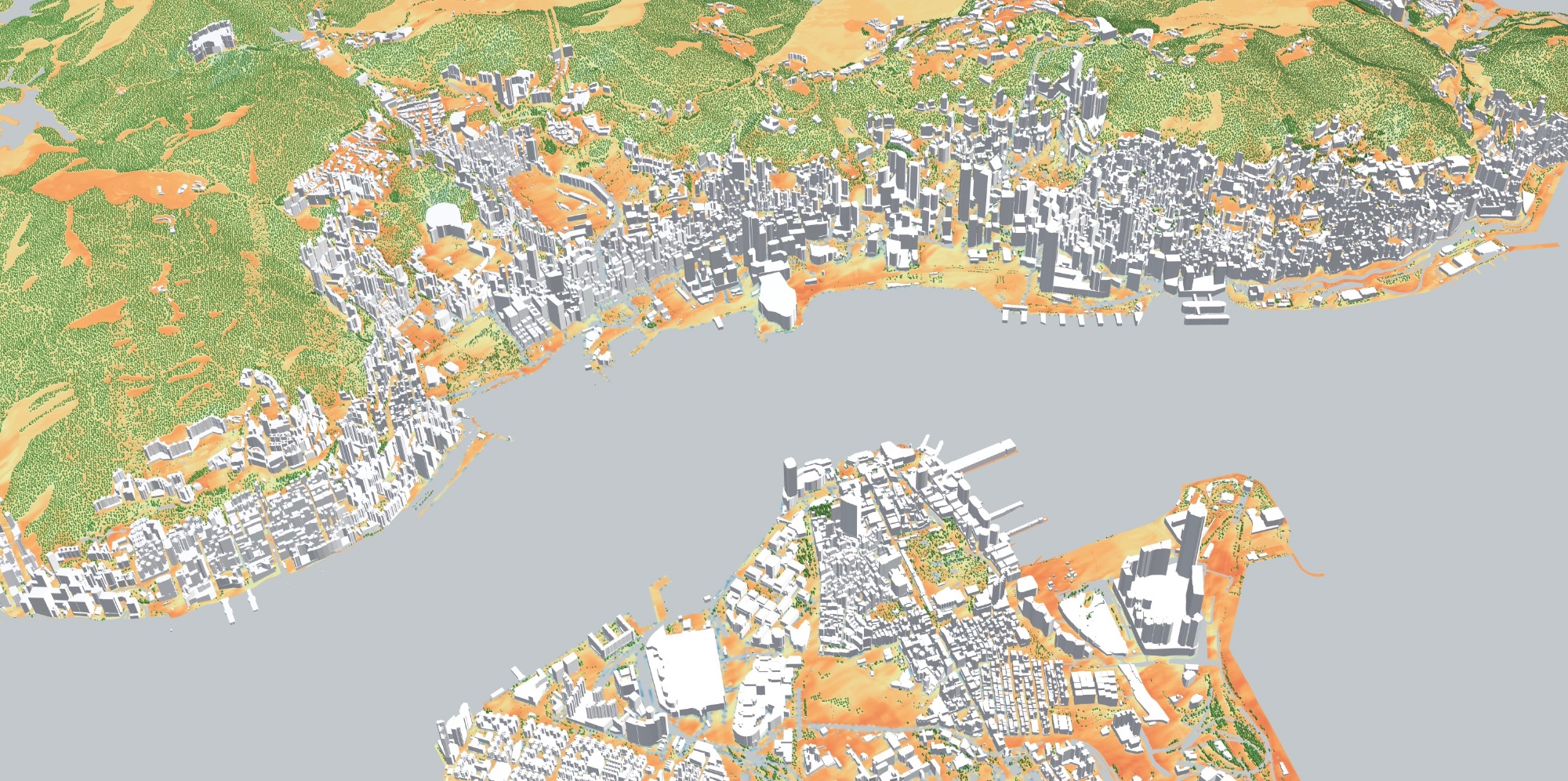
Weather is the starting point.
Your design changes what happens on the ground.
One simulation engine
Move from daylight inside a building to heat across Hong Kong. Explore the same place at different scales.
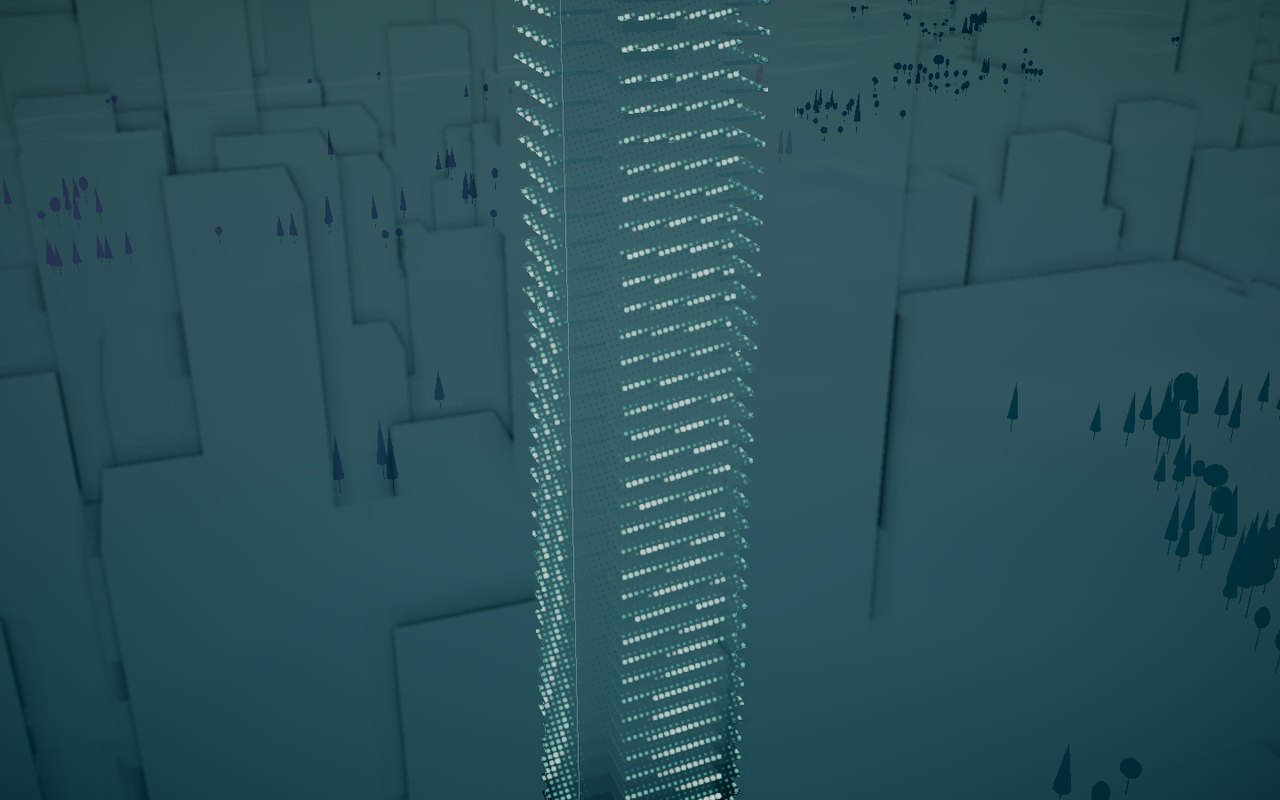
Daylight, floor by floor. See how much daylight reaches inside a building, with its neighbours in place.
Explore the possibilities
For design teams, cities, site operators and the people who build their software.
Take a closer look
Change the building. Add trees. Move the shade.
Compare daylight, wind and outdoor comfort while your design is still easy to change.
Find the sites that need a closer look.
Explore solar exposure, daylight and outdoor comfort across an existing portfolio or a potential new site.
Now. In twelve hours. Under a future climate scenario.
Use local climate results to support plans for outdoor work, public spaces and events.
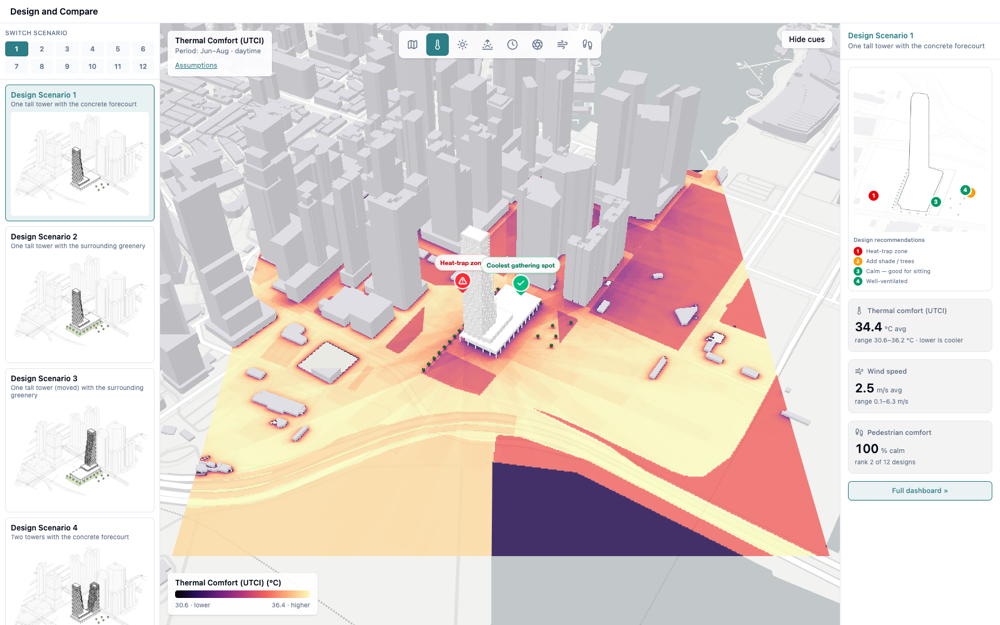
Screening-grade simulation helps you compare options and focus further studies where they matter.
The live layer
Bring local climate into your digital twin. Explore simulated heat, wind, sun and shade as the forecast changes.
Forecast weather goes in. The buildings, streets and trees shape the local result. Use the same engine to test what could change.
How you use infrared.city
Use the API and SDK to add climate simulation to your software or digital twin.
Explore the documentation ↗Explore our web platform and connections to design and GIS tools, including Rhino, Revit and ArcGIS.
Open the platform ↗Start with a small pilot. Connect a live layer or test a specific question with your team.
Talk about a pilot ↗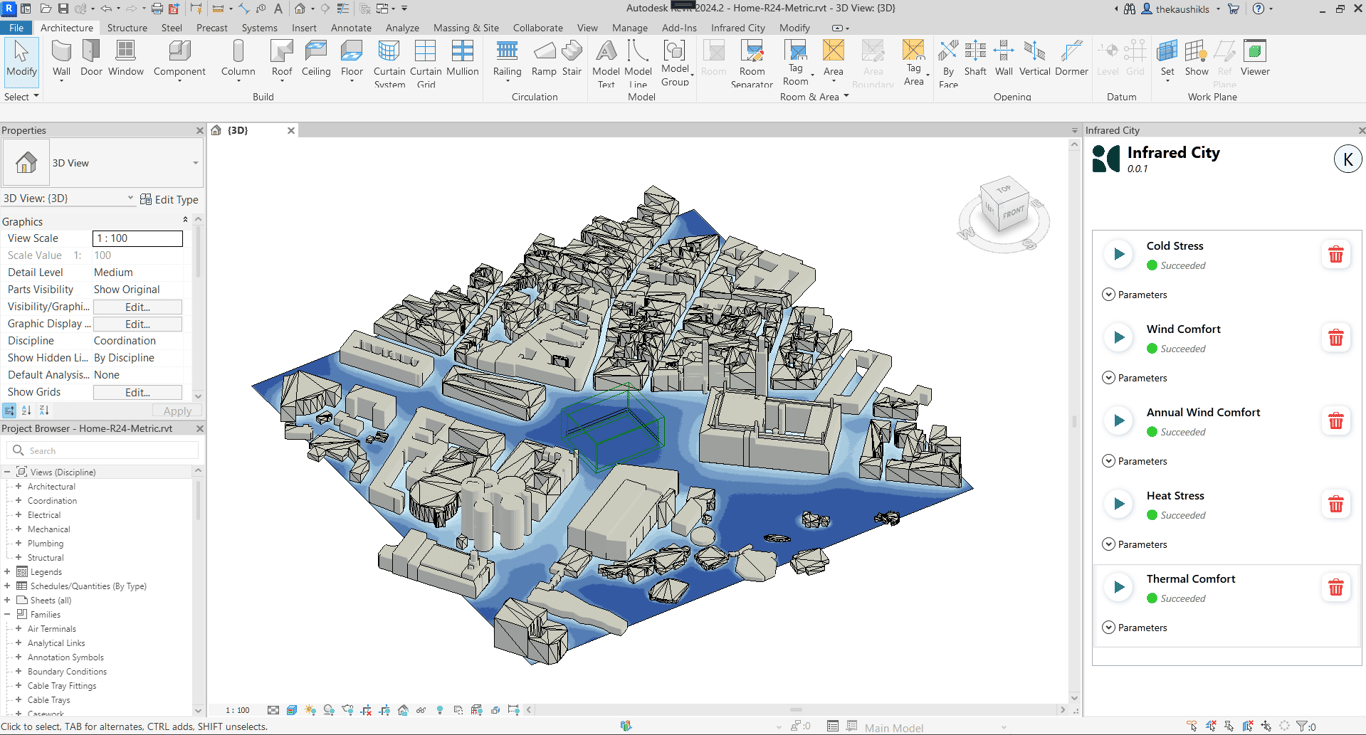
Infrared City inside Revit. Run simulations and review the results alongside your model.
Start with a small pilot
Bring us a place, a workflow or a decision.
Let’s see what we can build together.